JOIN USE AND GET FREE EA ?

Trade with Kintech EA

Just a few simple steps

Step 1 : Create Partners Account

Register Roboforex Members Area Account with this link https://my.roboforex.com/en/?a=anyp . If you already have Roboforex Members Area Account, skip to Step 2.

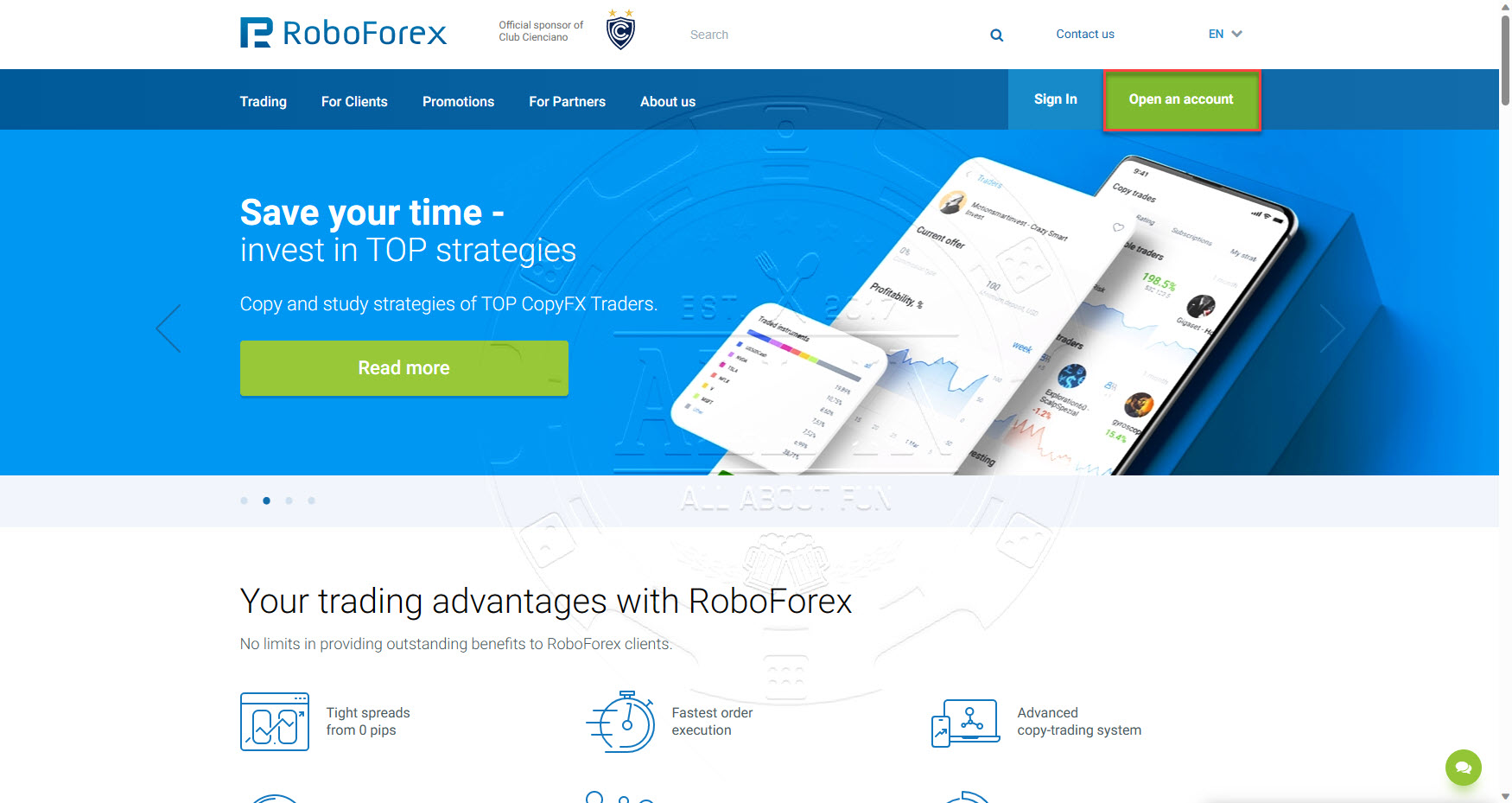
Click Open an account button
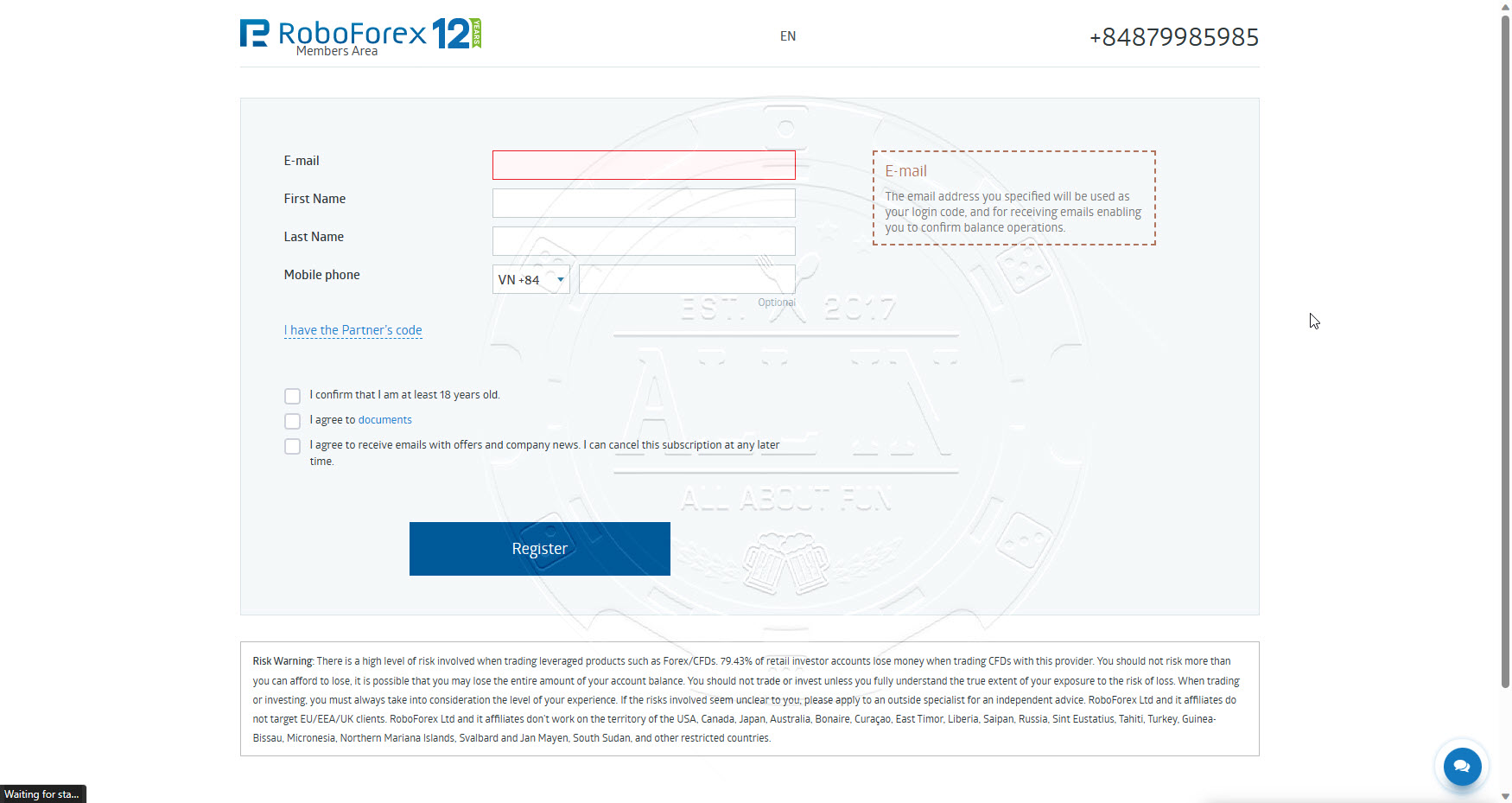
Fill in information as per below and the click Register button
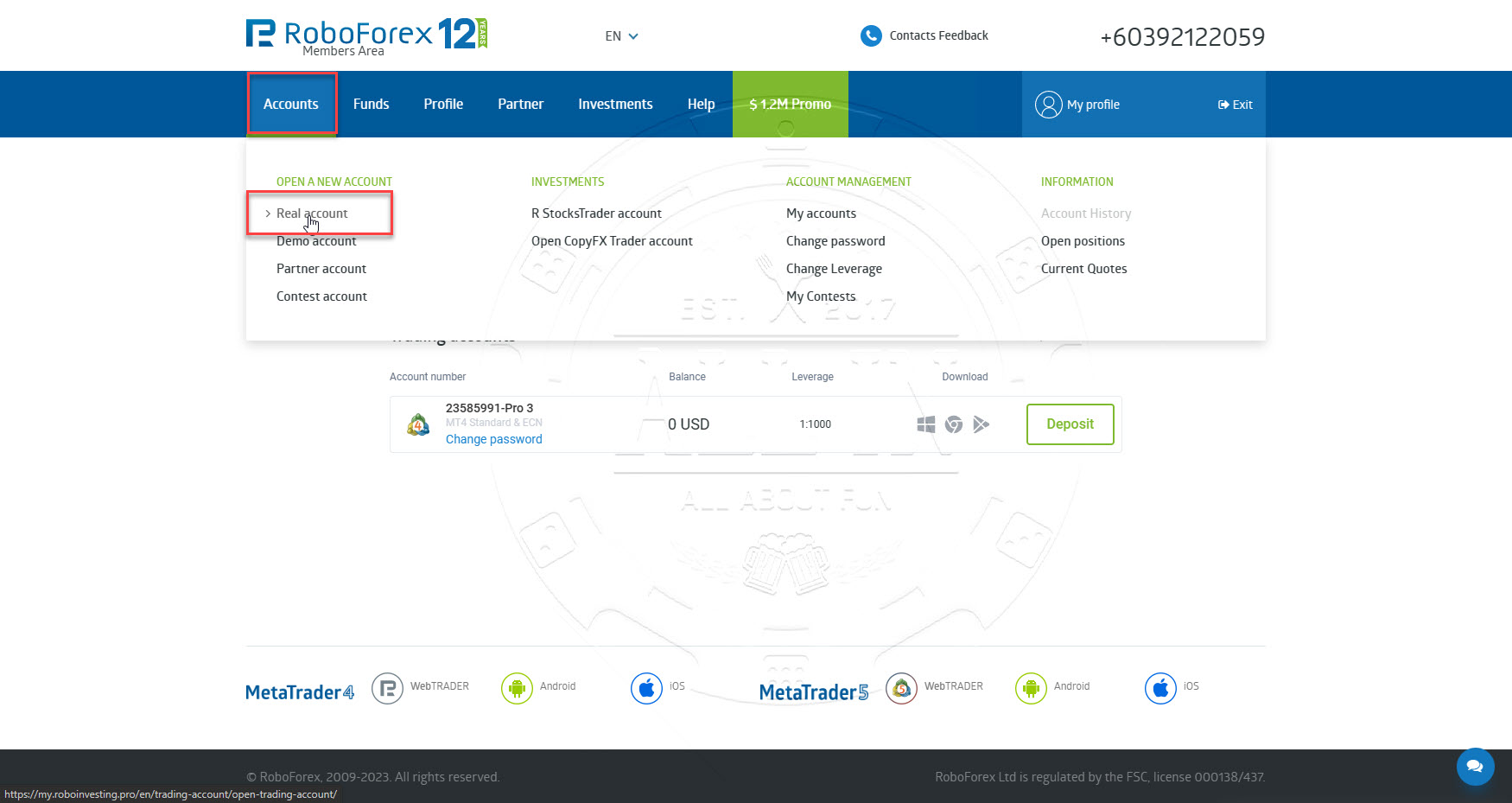
Once registration success, you will access to Member Area. Continue Step 2
 

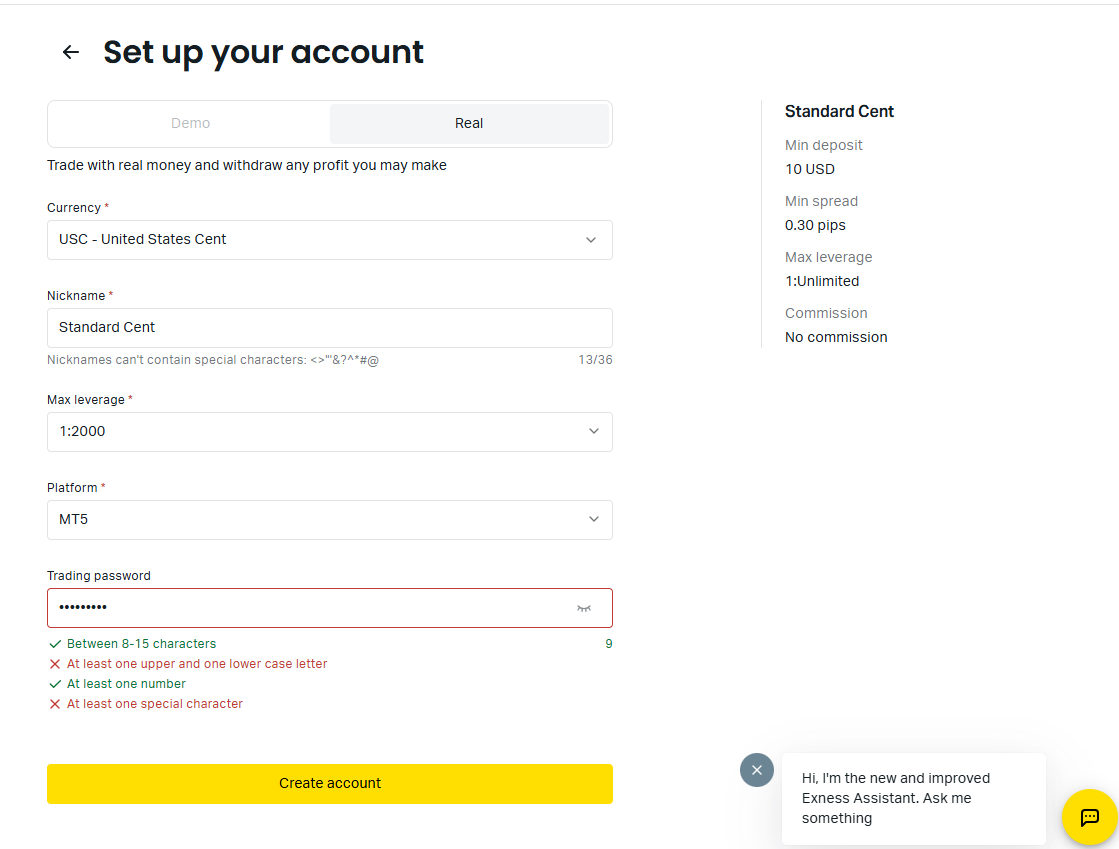
For New Exness Account


Step 1 : Click the “Open New Exness Account” button.

(Please clear the cache and cookies in the browser before clicking on our link button.)

Partner code : va3tdadk

Visit to open new account:https://one.exnesstrack.org/a/va3tdadk

For Existing Exness Account

Please chat with support and ask to change IB code to: va3tdadk


Step 2 : Open a Trading Account

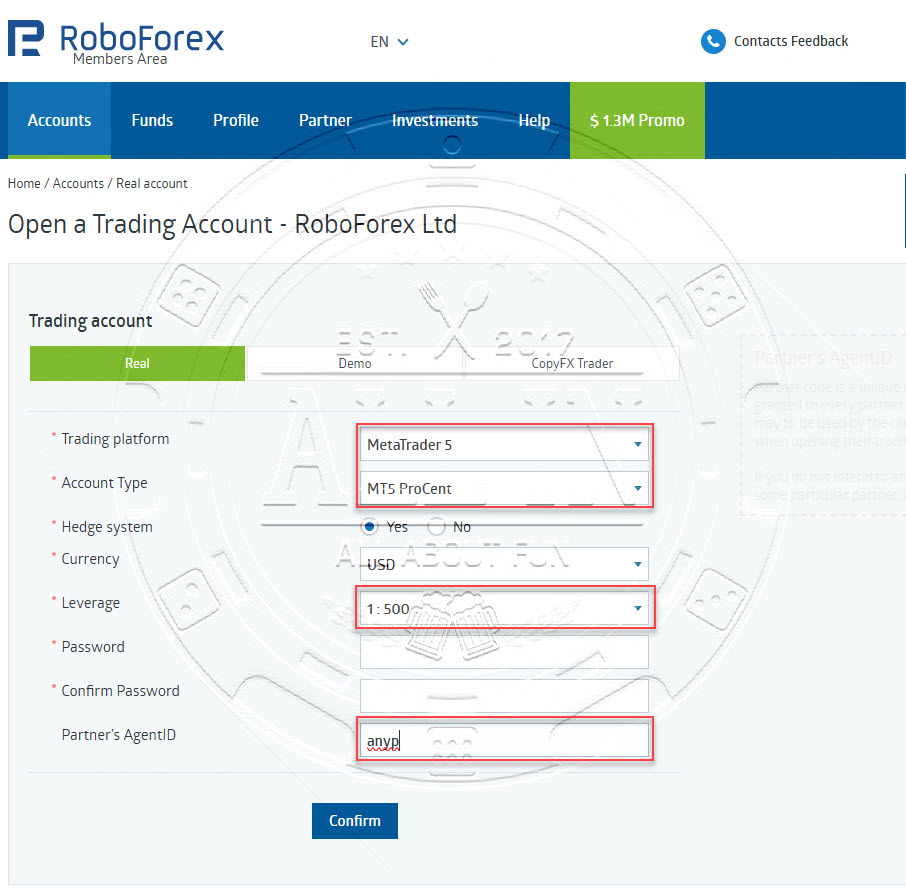
On the same page of Members Area registration success, Go to menu Accounts -> Open Real Account OR open this link (https://my.roboforex.com/en/trading-account/open-trading-account/) to open a trading account.

Choose options as per screenshot below and input following value, and then click Confirm button.

Affiliate code : anyp

Trading platform : MetaTrader 5
Account Type : ProCent
Leverage : 1:500
 
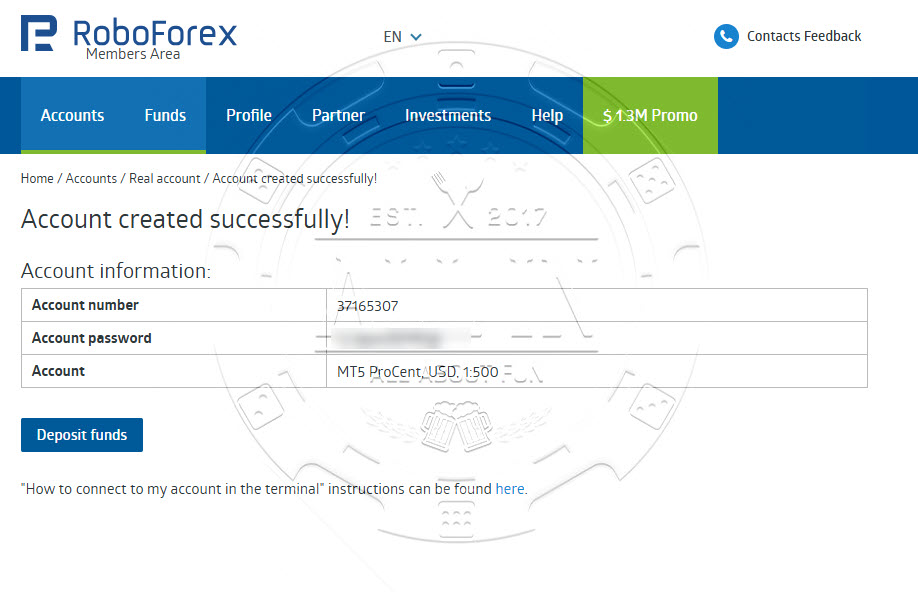
Once Trading Account created successfully, record down Account number, password and server name for login purpose. 


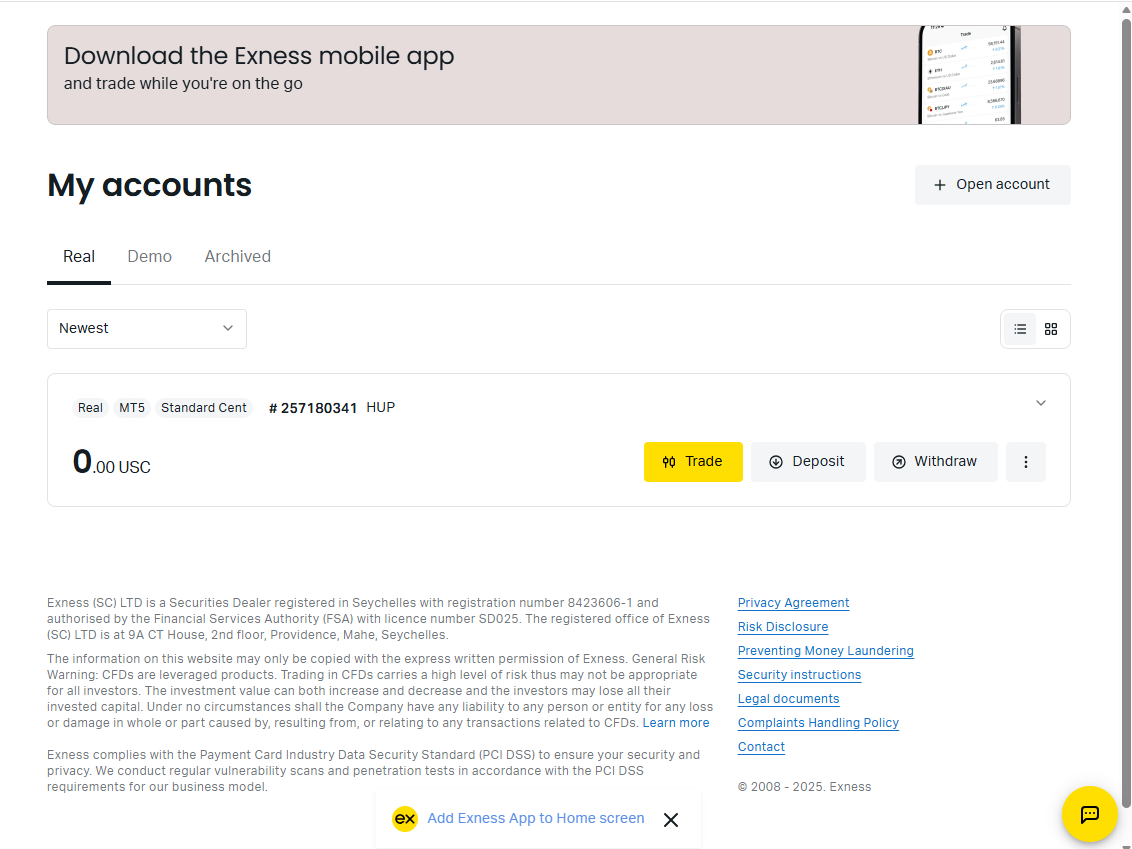
Go to: Exness Personal Area

Click to “Open Account” to open new trading account

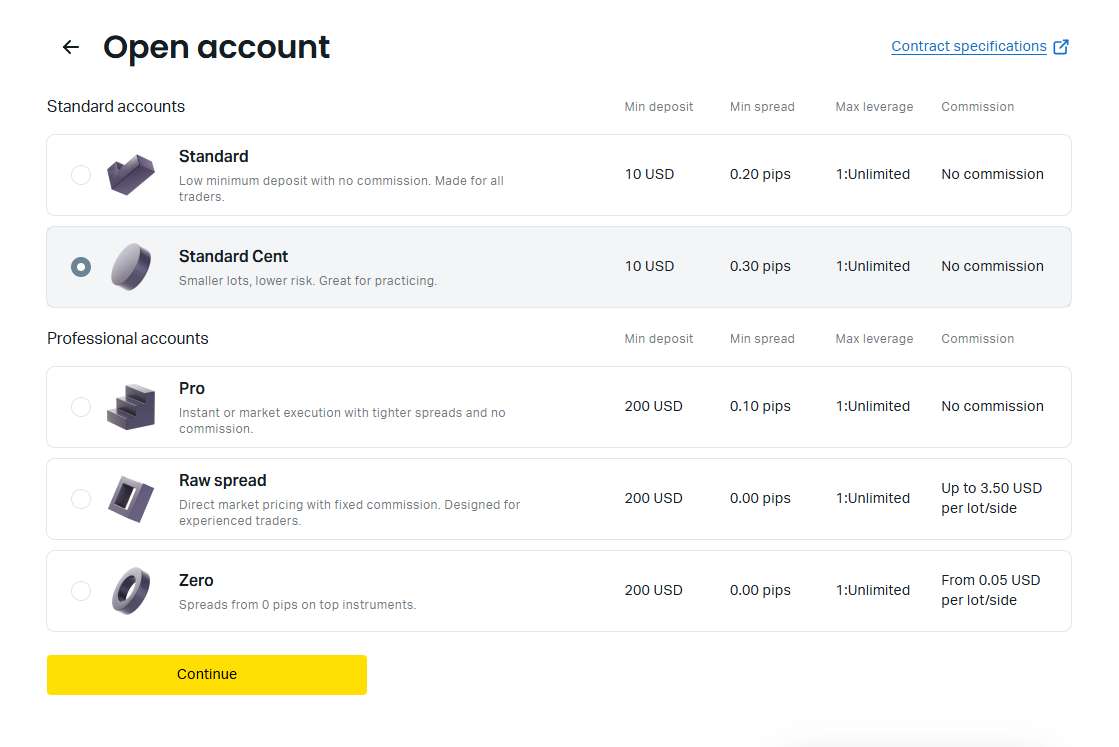
Choose your account type. Recommend Cent account

Fill required in formation


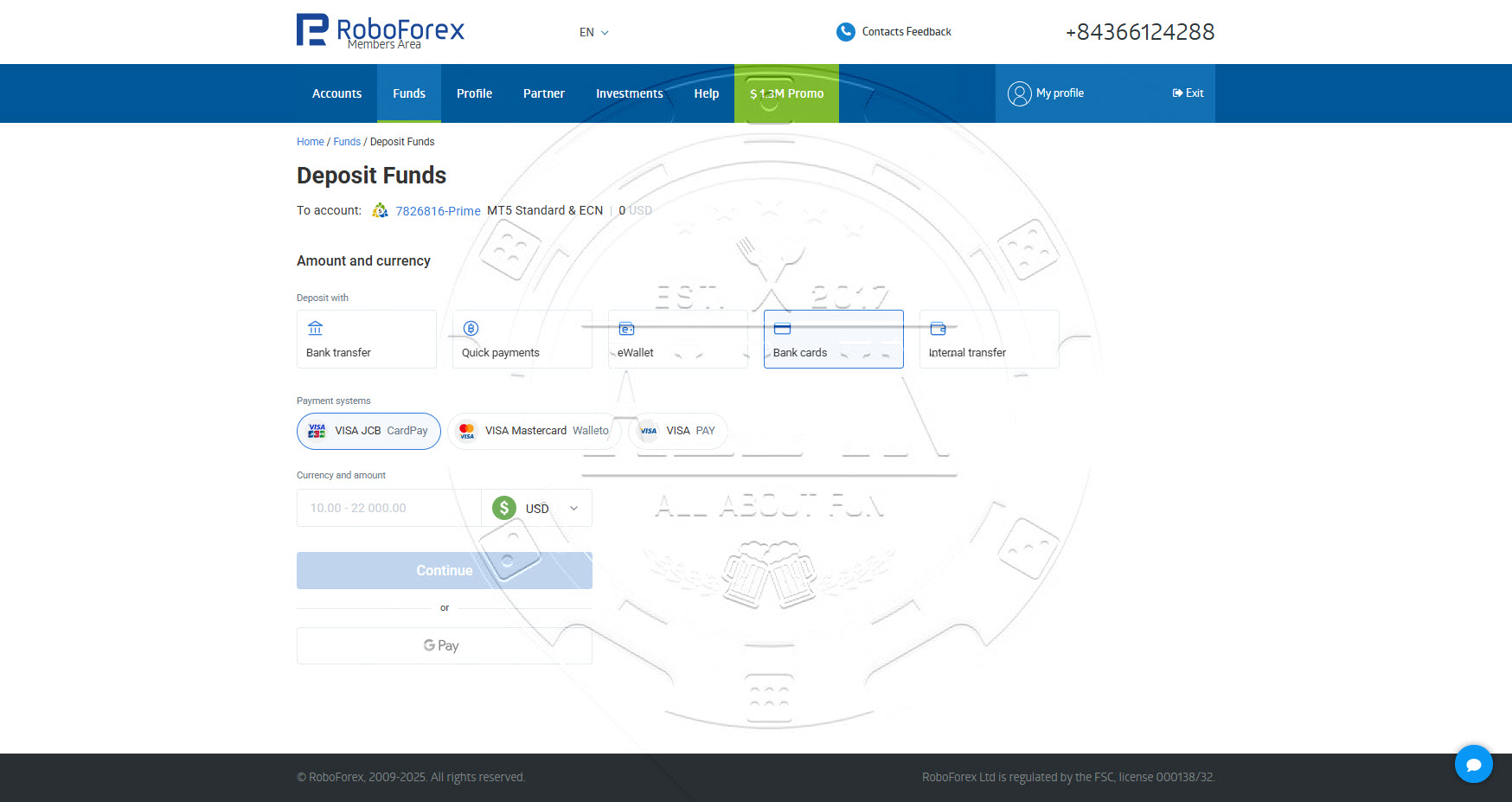
Step 3 : Deposit into Trading Account

Navigate to Funds > Deposit Funds, choose your preferred deposit method, and then input the desired deposit amount(recommended your deposit equal Master a for copy trading. If master balance is 1000 USD, your balance need equal) and currency.


Kintech Asia - How to deposit

Deposit method depends on your country


Step 4 : Get Kintech EA

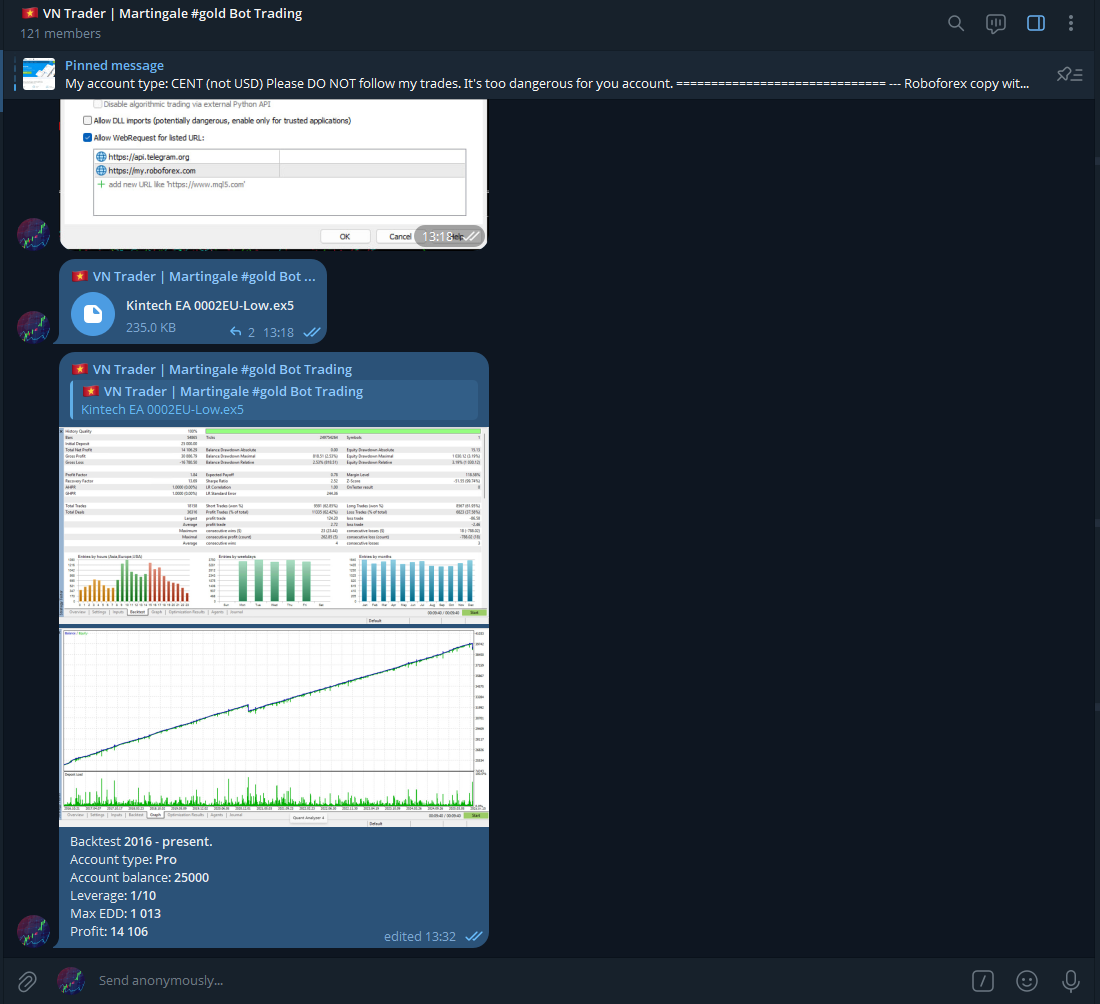
Click following link to get your prefer EA (MT5 only): https://t.me/kintechasia_official_group

Kintech Asia Offical group

I will upload EA and backtest result to telegram of Kintech Asia.

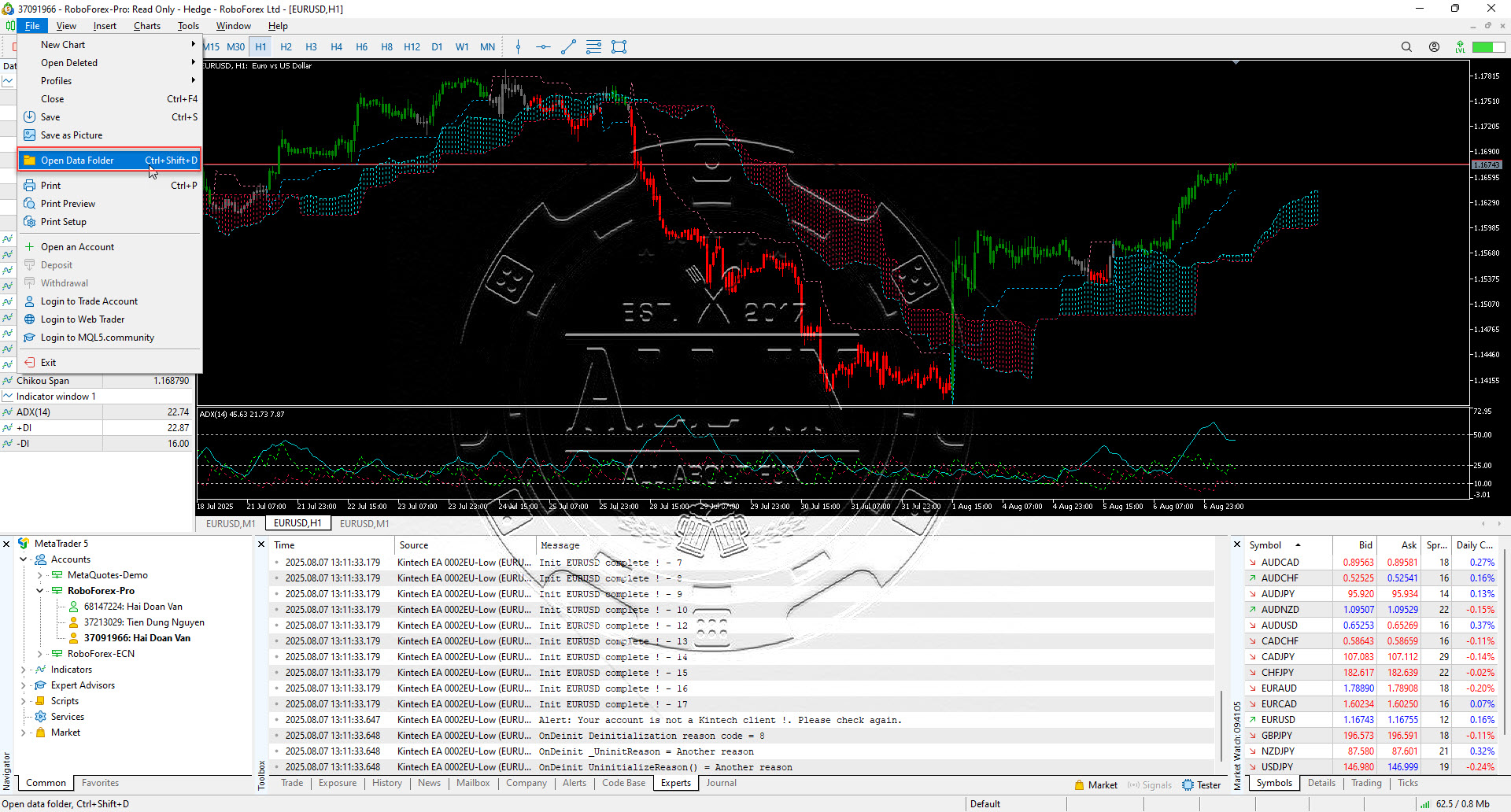
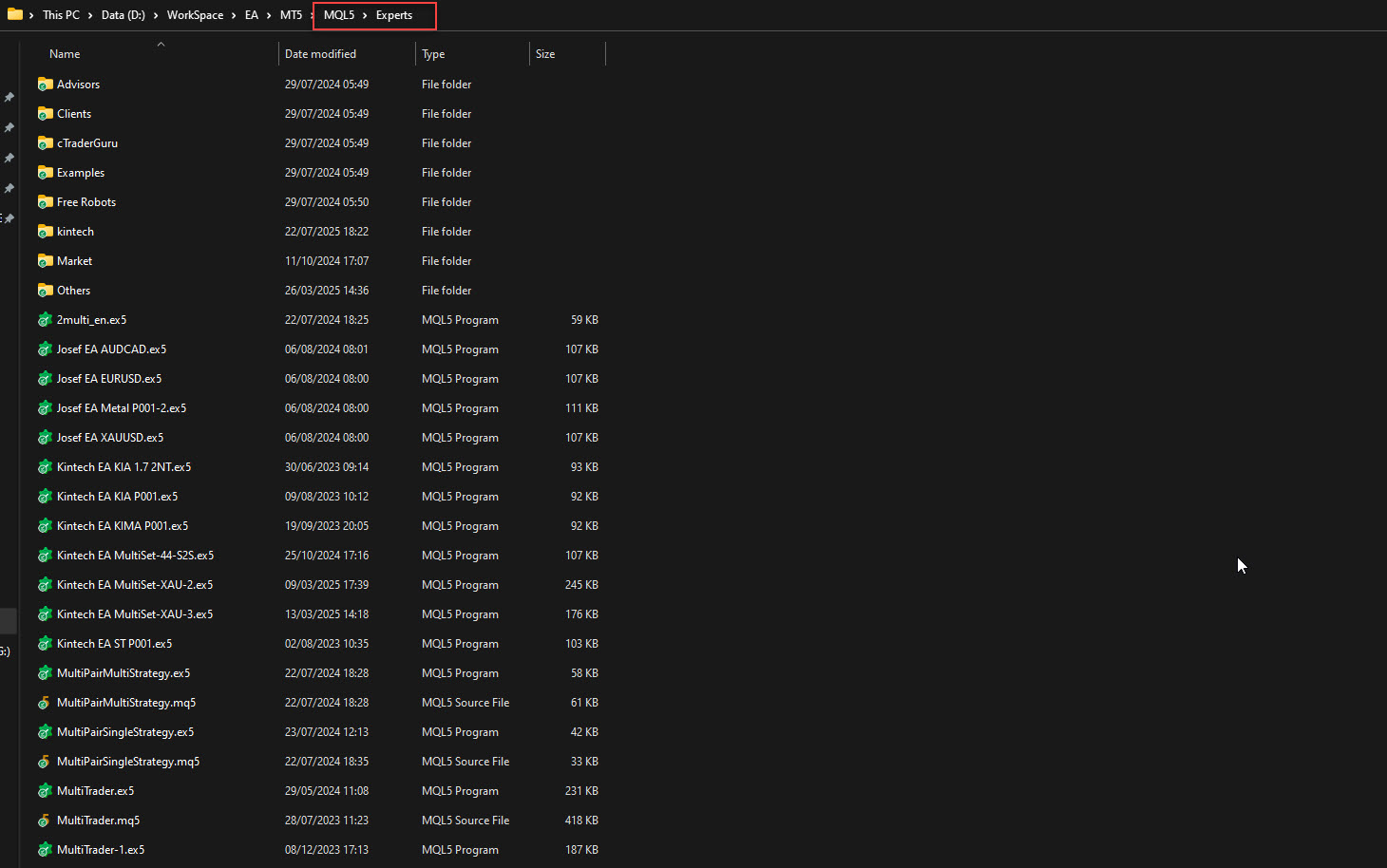
Please download EA and put into MT5 Data folder -> MQL5 -> Experts
Kintech Asia - How to attach EA

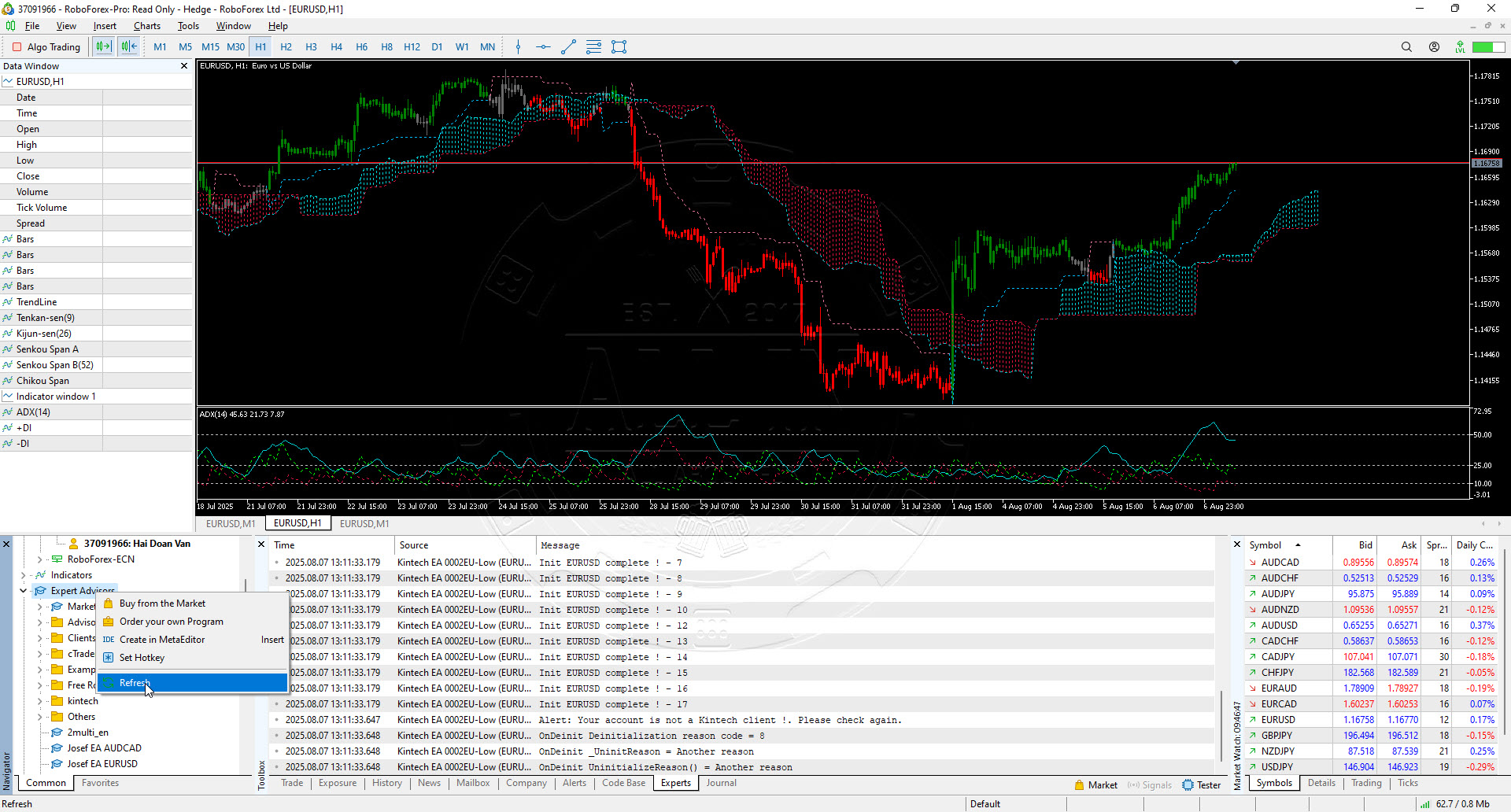
Back to MT5 and refresh Expert Advisor, EA will appear in list

Kintech Asia - How to attach EA

Step 5: Adjust MT5 option and trade

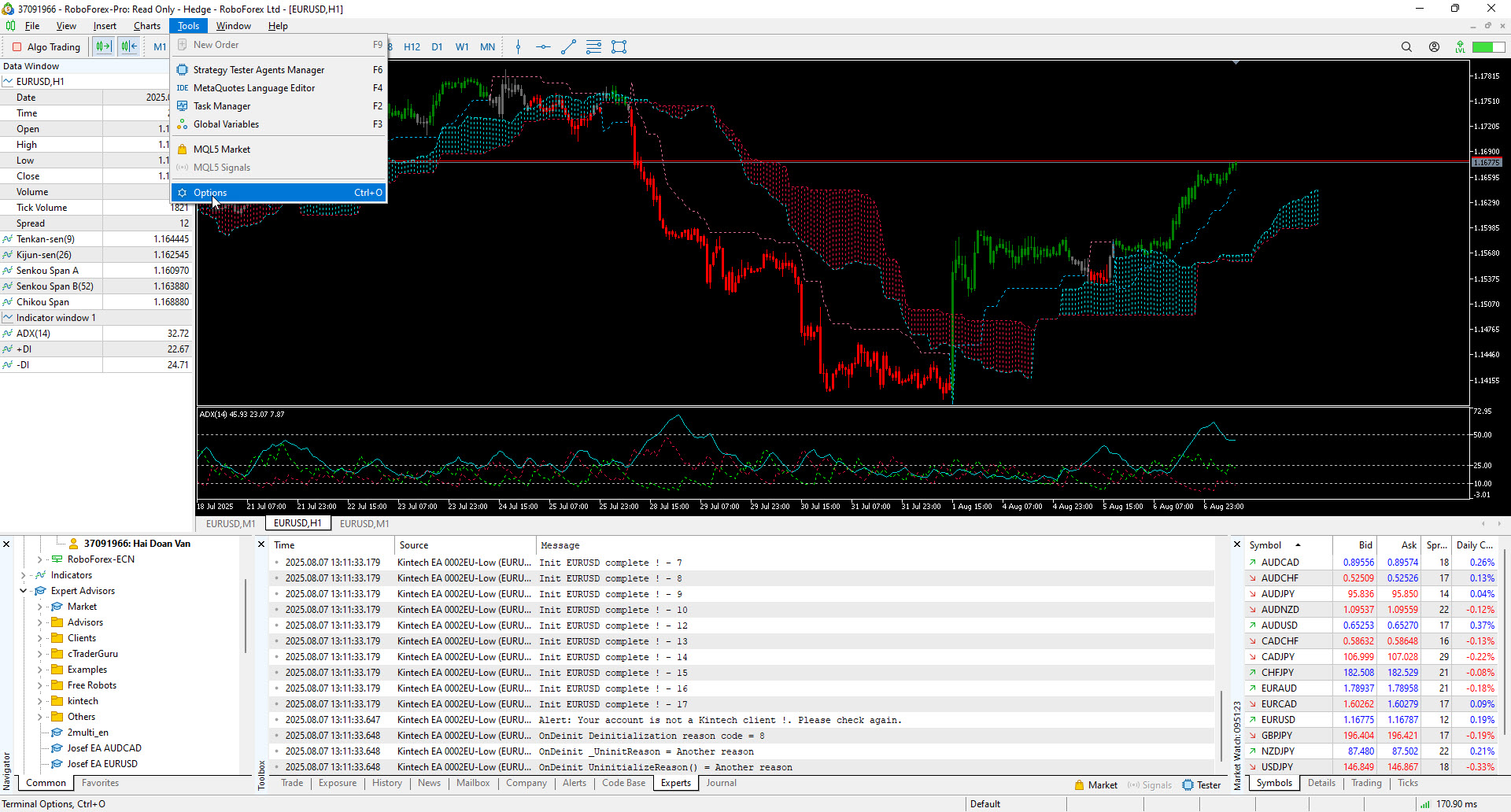
In MT5, press CTRL + O or Go to Tools -> Options

Kintech Asia - Attach EA

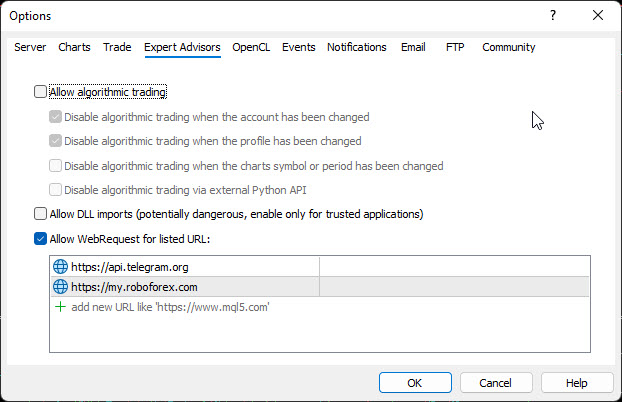
Go to Tab “Expert Advisors
.. Check “Allow WebRequest for listed URL
.. Add “https://my.roboforex.com” and “https://my.exaffiliate.com” to list

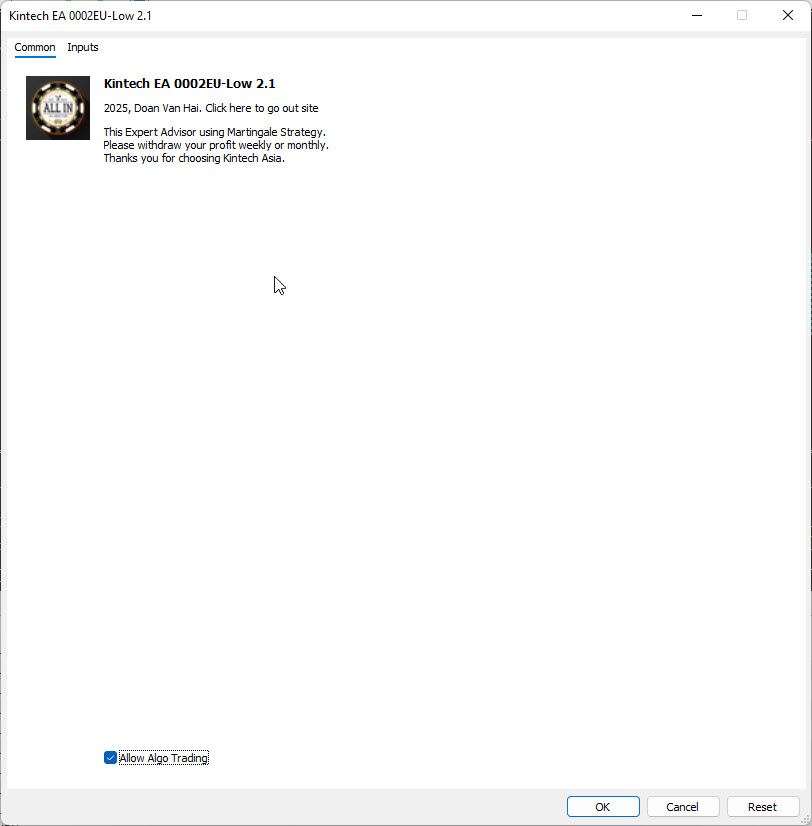
Attach EA to chart – any timeframe. Remember tick “Allow Algo Trading


Please let your PC work 24/7 or rent VPS from Vultr – price from 5$/month: https://www.vultr.com/?ref=8915052